IT Governance · PMO · São Paulo

Hi, I'm Lucas.

I organize IT operations so a team can see what is coming in, what has been delivered and what is at risk. Below is every project I've worked on, in order, with the indicators I built and the way I like to work.

Now
IT Operations & Governance Analyst at mosaicQ
Graduated
IT Management at UNIFACENS, 2026
Languages
Portuguese (native), English (advanced)
LQPortrait of Lucas Campos Queiroz

Projects

One project at a time, in order

Drag, swipe or use the arrows. Company and client details are anonymized, and every chart uses illustrative data that follows the logic of the real indicators.

    1 / 13

    Apprenticeship · Operations, BI & IT

    Where it started: a factory, a MES rollout and a lot of spreadsheets

    Vesuvius Sensors & Probes · Sorocaba · Jun 2025 – Apr 2026

    Context
    My first job in IT: apprentice in an industrial plant during the MES (Manufacturing Execution System) rollout.
    What I did
    Day-to-day contact with the MES vendors. I read operational data with Power BI, SQL and Python, and automated routines with Power Automate, Excel and VBA.
    What I took from it
    Seeing a whole operation run on data, and the habit of automating anything I had to do twice.

    How I worked

    • One contact for the vendors
    • Automate the repetitive first
    • Data before opinions
    Tools I used
    • MES
    • Power BI
    • SQL
    • Python
    • Power Automate
    • Excel & VBA
    How my automation evolvedsame habit, better tools
    1. Then · VesuviusExcel + VBA

      Macros that removed manual steps from spreadsheets on one machine.

    2. Then · VesuviusPower Automate

      Flows between Microsoft apps, with no one pressing a button.

    3. Now · mosaicQGoogle Apps Script + Jira API

      Integrations in the cloud that feed a whole indicator panel.
    Academic · FACENS · Startup project

    AcomodaJá: my first project board

    Project One · Oct – Dec 2025 · team of 5

    Product
    A reservation manager for hosts: one calendar for Booking.com, Airbnb and direct bookings, with payments and reports. Built with a partner company, up to an MVP.
    Board
    Trello, organized around deliverables: links, meeting notes, feedback as a checklist and 23 delivered tasks.
    Looking back
    It tracked deliverables, not flow: no labels, no review step, the whole team on every card. That is what I changed next.

    How I worked

    • Everything in one board
    • Meeting notes as cards
    • Feedback as a checklist
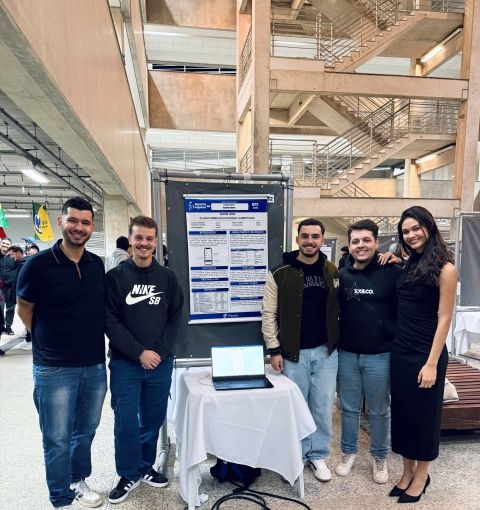
    The AcomodaJá team next to the project poster at the Plugin 2025 showcase
    Plugin showcase · FACENS 2025
    Project board · Trelloredrawn and anonymized

    Lists by type of content, status lists barely used: the board answered "what did we hand in?", not "what is in progress?".

    Academic · FACENS · Final startup

    Know How: the same tool, used as a real workflow

    2026 · team of 5 · my role: Scrum Master

    Product
    A gamified learning platform for university students, in their native language, bridging classes and the job market.
    My role
    I set up the board and the flow (Backlog → Review/Test → Done), kept every card with an owner and a date, and made review a step before done. 47 cards delivered.
    Looking back
    Where I started thinking in flow instead of lists: the base I took to Jira.

    How I worked

    • Review before done
    • One owner per card
    • Labels by area
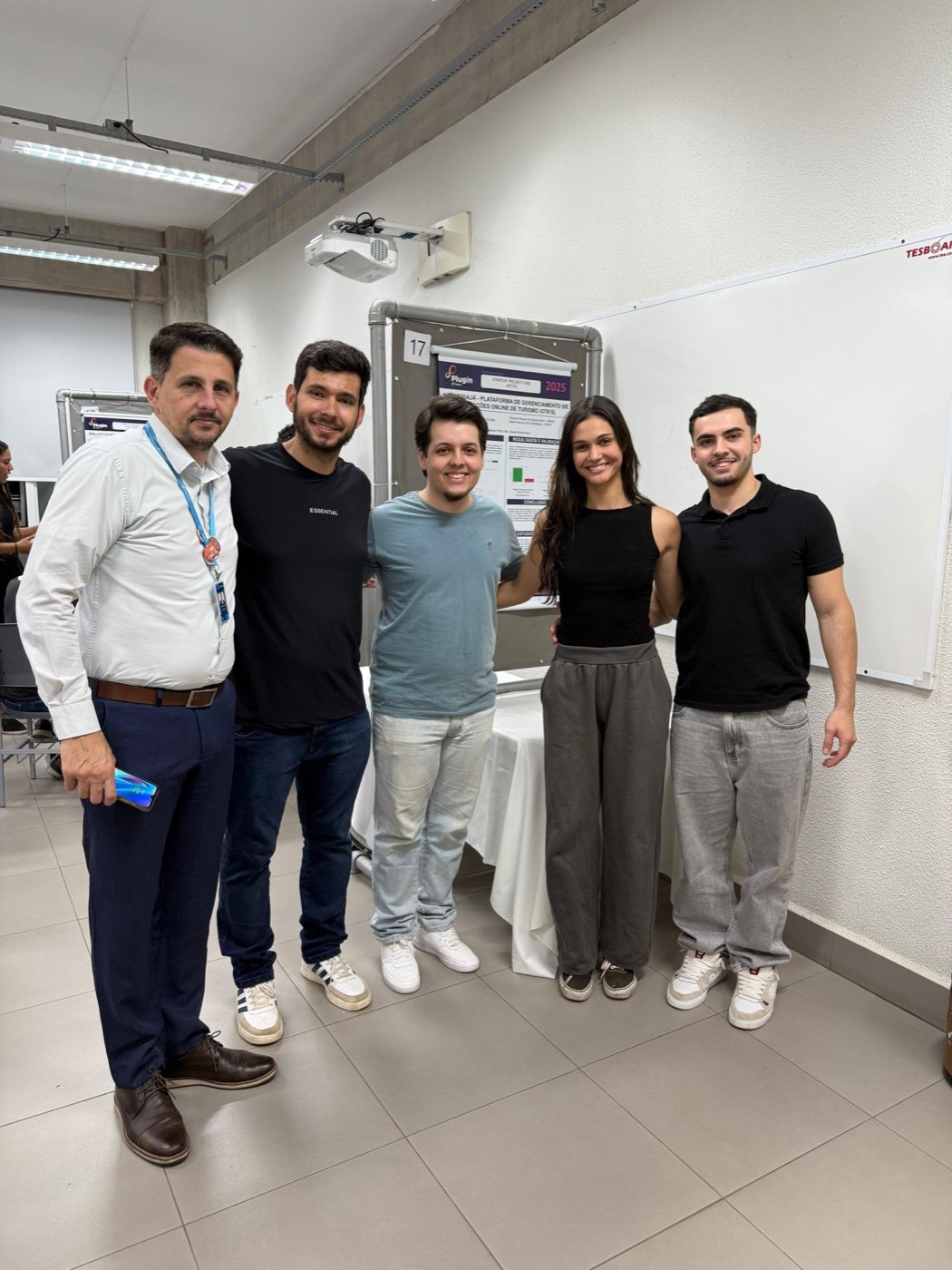
    The Know How team next to the project poster at the FACENS project showcase
    Project showcase · FACENS 2026
    Project board · Trelloredrawn and anonymized

    Status lists follow the work, and every card carries a label, an owner and a date.

    How my boards evolvedTrello → Trello → Jira
    AcomodaJáKnow HowToday · Jira
    WorkflowLists of deliverablesBacklog → Review/Test → DoneSprint board for development, Kanban for support, review as its own step
    OwnershipWhole team on a cardOne owner per cardAssignee, reporter and SLA
    CategoriesNoneColour labels by area4 issue types, filterable by priority
    IntakeMeeting notesBacklog listOne door through Jira Service Management
    VisibilityCard countDone columnIndicator panel on the Jira API

    Milestone

    Graduated in IT Management

    UNIFACENS · Technologist degree · 2024 – 2026

    What I took from it
    Two startup projects taken from idea to a presented MVP, one of them with a partner company, and a clear view of how I like to organize work.
    The same years I was already working in operations, so what I learned in class went straight into practice, and the other way around.

    How I worked

    • Study and work side by side
    • Learn by delivering
    Graduation ceremony at UNIFACENS, graduates throwing their caps in the air
    Graduation ceremony · UNIFACENS

    mosaicQ · Governance

    Building IT governance from zero in a remote software consultancy

    Problem
    Demands arrived by email, chat, meetings and videos. Sprints were created once and never closed, and nobody knew for sure what had been delivered.
    Approach
    Gradual change in live operations: pilot the method on one project, measure, then replicate. Four phases, each with a plan, a journal and a formal close.
    Outcome
    One entry channel triaged in or out of contract scope, weekly sprints with their own version, and every delivery communicated formally.

    How I worked

    • Pilot, then replicate
    • One door for demand
    • Measure before changing
    Maturity by dimensionMay → today · illustrative
    May 2026TodayTarget

    mosaicQ · Jira

    Two boards, one project: sprints for development, Kanban for support

    Problem
    Planned development and incoming support compete for the same people. Mixed on one board, neither the sprint nor the support queue can be read.
    Approach
    Development runs in sprints with story points and due dates; support runs as a continuous Kanban flow. Every ticket carries a contract label and a type label.
    Outcome
    The sprint shows what was committed, support shows what is waiting, and hours from both are counted against the right contract.

    How I worked

    • Sprint for planned, Kanban for incoming
    • Waiting is a status too
    • Traceable by default
    Two boards side by sidesame project
    DevelopmentSupport
    BoardSprint, closed with its own versionContinuous Kanban
    SizingStory points and due dateSLA by priority
    EntryRefined backlogOne triaged channel, including clients' ServiceNow
    TypesStory, task, bugCorrection, support, internal
    Support across two toolsclient's ServiceNow ↔ our Jira
    1. Client opens a ticketin their ServiceNow · SLA starts
    2. I collect it into Jiratype, contract, priority
    3. Team works iton the support Kanban
    4. I update ServiceNowstatus, notes, resolution
    • SLA by priority: first response and resolution targets, followed ticket by ticket.
    • Waiting for client pauses the clock, so we are measured only on time we control.
    • Both sides stay in sync: every status change in Jira is reflected in ServiceNow, so the client never has to ask where things stand.
    • Breach risk shows early: tickets close to their SLA are flagged before they miss it.
    Anatomy of a ticketredrawn · no real data
    1. Due date agreed with the client, flagged when at risk.
    2. Contract label counts the hours against the right contract.
    3. Type label says if it is new work, a correction or internal, in or out of scope.
    4. Story points feed Velocity and sprint planning.
    5. Flag marks what is blocked or urgent.
    6. Development link shows the branch and code behind the change.

    mosaicQ · Jira administration

    The workflow is the operation, and every rule in it is mine

    Problem
    Anyone could drag any ticket anywhere. Code skipped review, design approvals happened in chat, and "done" meant different things on each project.
    Approach
    I mapped how work really moves between roles and made it the workflow: who can run each transition, which fields it requires, and rework as an explicit path back.
    Outcome
    The board tells whose turn it is, review and QA can't be skipped, and waiting time and rework come straight from the history.

    How I worked

    • Map reality, then configure
    • Every hand-off is a status
    • Rules in the tool
    Development workflowredrawn · names generalized

    Swipe the diagram sideways to see the whole flow →

    Someone is working Waiting in a queue Rework: back to In progress
    • 10statuses
    • 14transitions
    • 4roles with their own permissions
    • 3rework loops, all counted
    Support workflowKanban · SLA-driven
    1. Open
    2. Triage
    3. In progress
    4. Waiting for client
    5. Resolved
    6. Closed
    • Triage decides in or out of contract scope. Out of scope leaves the flow and becomes a quote.
    • Waiting for client pauses the SLA clock, so the team is not measured on time it doesn't control.
    • Resolved closes by itself if the client doesn't reopen it within a set number of days.

    mosaicQ · Contract health

    Seeing a contract overrun before it happens

    Problem
    Hours, contracts and tickets lived in separate places. Overruns were discovered after the fact, when the only option left was to absorb the cost.
    Approach
    A panel on top of the Jira API that compares hours used with time elapsed, forecasts the date each contract runs out, and documents every threshold.
    Outcome
    Amendment conversations start while there is still room to negotiate, and slow-paced support contracts are flagged as a retention risk.

    How I worked

    • Every threshold written down
    • Warn early, not after
    Contract portfoliobar = hours used · line = time elapsed · illustrative
    Development contract · pace vs. actual% of hour cap by month · illustrative
    0%25%50%75%100% M1M2M3M4M5M6M7M8 cap reached ≈ M7 today
    ActualExpected paceForecast
    • Pacing% used − % time elapsedabove +10 pp is accelerated, below −15 pp is slow
    • Runwayremaining hours ÷ avg. burn of last 3 monthsforecast date the cap is reached
    • SLAbusiness hours, Mon–Fri 8–178 / 24 / 48 / 72 h by priority

    mosaicQ · Jira automation

    Automation does the chasing, agents do the reading, people make the calls

    Problem
    A strict workflow creates clicks: assigning reviewers, moving tickets after a merge, chasing due dates. Done by hand, it gets skipped.
    Approach
    Every repetitive step became a Jira Automation rule. Where a step needs reading text, an AI agent suggests and a person confirms. Outside Jira, Google Apps Script on the Jira API.
    Outcome
    A strict workflow that doesn't slow the team down, and indicator data filled in by default, not by discipline.

    How I worked

    • Automate the rule, not the exception
    • AI suggests, people decide
    • Every rule has an owner
    Automation rulesexamples · When → If → Then
    1. Moved to Waiting code reviewAssign the tech lead, start the review timer
    2. Pull request mergedno UI changeSkip design, move to Ready for QA
    3. Rejected in review or QABack to In progress, add a rework mark
    4. Due date in 2 daysnot in QA yetFlag the ticket, notify the owner
    5. Support ticket createdno contract labelSend to triage, ask the requester
    6. Sprint closedRelease the version, label the carry-over
    AI agentsRovo · human in the loop
    Triage

    Reads a new support ticket and suggests type, priority and whether it is in contract scope.

    Ticket quality

    Checks that a story has acceptance criteria, and a bug has steps to reproduce, before it enters the sprint.

    Delivery note

    Drafts the client-facing summary of a closed sprint from its done tickets.

    Where the data goes
    1. Workflow + automationclean fields, full history
    2. Apps Script on the Jira APIscheduled extraction
    3. Indicator panelcontracts, flow, capacity

    mosaicQ · Project & portfolio

    A portfolio planned against real capacity

    Problem
    Every project had its own schedule, and nobody could answer the commercial question "can we take on another contract?" without guessing.
    Approach
    One portfolio view by methodology phase (Immersion to Deploy), with capacity measured from a 12-week delivery average and a 20% buffer kept free.
    Outcome
    Overrun warnings appear before the deadline, and sales can see the month when committed hours hit the team's ceiling.

    How I worked

    • Plan against real capacity
    • Keep a 20% buffer
    • Decisions cite indicators
    Project portfolioJul–Dec · phase of the methodology · illustrative
    Committed hours vs. team capacityhours per month · illustrative
    03006001,200 JulAugSepOctNovDec capacity 900 h 980

    December is over capacity: new contracts starting then need hiring or a later start date.

    mosaicQ · Indicators

    One panel for the whole operation, built on the Jira API

    Problem
    The data was in Jira but spread across boards. "Are we keeping up?" or "who is overloaded?" meant opening a dozen filters.
    Approach
    A panel in Google Apps Script on the Jira API joining development and support: throughput, lead time, velocity, sprint capacity, workload and contract hours.
    Outcome
    Blocked work, overloaded people and contracts close to their limit show up before someone has to ask, and management meetings start from the same numbers.

    How I worked

    • Dev and support in one view
    • Buffer before commitment
    • Show blocked, not just busy
    +9Net throughput · 4 weeks52 created · 61 resolved
    11 dMedian lead timesupport tickets
    32 SPFree capacityafter the 20% buffer
    3Contracts endingin the next 60 days
    Sprint capacity · all development projectsstory points · illustrative
    ~150 SPrecommended per sprint, keeping 20% free · real limit ~188 SP
    Project AProject BProject CFree to allocateBuffer
    Support throughput · created vs. resolvedtickets per week · illustrative
    CreatedResolved
    Workload per person · dev + supportstory points by state · illustrative

    Dev C looks busy but half of it is waiting on someone outside the team: the fix is a follow-up, not more people.

    mosaicQ · Risk & continuity

    Contingency plans decided before they are needed

    Problem
    The indicators showed danger signs, but nobody had decided in advance what to do when they lit up, including the risk of losing a client.
    Approach
    Each risk gets probability × impact, an early-warning signal tied to a real indicator, prevention actions and a contingency plan with a trigger and an owner.
    Outcome
    A monthly client health score and plans ready for the first 48 hours, instead of improvising under pressure.

    How I worked

    • Decide before it's urgent
    • Every plan has an owner
    • Blameless post-mortems
    Risk heat mapprobability × impact · illustrative
    Impact

    Probability

    1. Client churn from low perceived value
    2. Revenue concentrated in one client
    3. Key-person dependency
    4. Contract overrun without amendment
    5. Change deployed without notice
    6. Security incident
    Contingency plan · client churnexample
    Early warning
    Slow pace with hours spent but no visible delivery; contract ends in 90 days or less.
    Trigger
    Client signals dissatisfaction, or 60 days to the end without a renewal proposal.
    First 48 h
    1. Align internally with leadership.
    2. Pull six months of delivered value from the panel.
    3. Meet the client sponsor to listen first.
    4. Propose a reshaped package.
    Owner
    Leadership decides; governance brings the data and the plan.

    How I like to work

    Principles first, tools second

    I choose the method by the problem, never the other way around.

    Measure before changing

    Opinions open the conversation; data closes it.

    Pilot, then replicate

    Validate on one project before rolling out.

    One door for demand

    Everything enters through a single, triaged channel.

    Decisions cite indicators

    Meetings end with decisions, not status updates.

    ITIL
    Continual Service Improvement, single point of contact, service level management.
    Kanban
    WIP limits, cumulative flow, classes of service, delivery review cadences.
    Scrum
    Weekly sprints with their own version, protected scope, story points and velocity.
    Lean
    PDCA, A3 and 5 Whys: pilot small, measure, then standardize.
    Portfolio & risk
    Capacity planning, probability × impact, contingency plans, client health score.
    Learning loops
    Backcasting from the target state and blameless post-mortems of delivered projects.
    Data
    Google Apps Script on the Jira API, Power BI, SQL, Python (Pandas, NumPy).
    Platforms
    Jira Software, Jira Service Management, Confluence, Rovo, ServiceNow, Power Automate.

    UNIFACENS · Technologist degree in IT Management, 2024–2026

    Etec · Centro Paula Souza · Technical degree in Administration, 2021–2023

    Let's talk.

    Open to conversations about IT governance, PMO and operations roles.

    São Paulo, Brazil